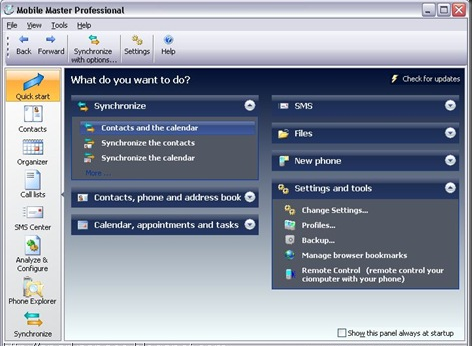
Mobile Master is a powerful PIM and synchronization tool for mobile phones and iPod. You can synchronize mobile phones (addresses and calendar) with Outlook Outlook Express, Windows address book, Windows contacts, Lotus Notes, Thunderbird/Sunbird, Palm Desktop. You can load, edit and save your phones address book, calendar and notes. Browse through the phones file system and copy files. Synchronize your iTunes playlists and files or copy WinAmp playlists to the phone.
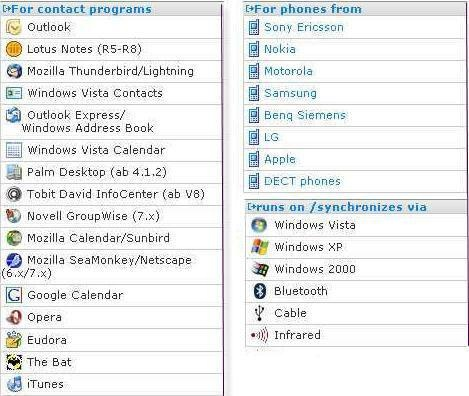
Use Mobile Master and its practical browser and drag-and-drop functionality to transfer iTunes playlists or individual songs and to synchronize playlists from iTunes with walkman phones: As soon as your phone is connected, the personal music collection on the phone is updated. This also applies for photos: Mobile Master checks whether new photos have been taken and transfer then to your PC every time you synchronize .Full features & Supporting phones list here





 Vista has the option to encrypt and decrypt files by accessing the properties dialog. But there is a better and faster way to do it—just add these options to the context menu. Open the Registry editor and navigate to HKEY_CURRENT_USER\Software\Microsoft\Windows\CurrentVersion\Explorer\Advanced
 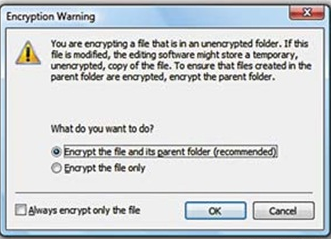 In the right pane, create a new 32-bit DWORD value called Encryption Context Menu and give it a value of 1. Now whenever you rightclick
 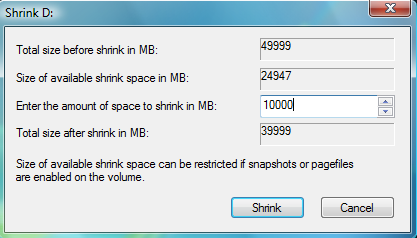 Windows Vista comes with Disk Management, which even lets you shrink or expand volumes without destroying data on them. No need to buy expensive third-party utilities! Open the Control Panel, type in
 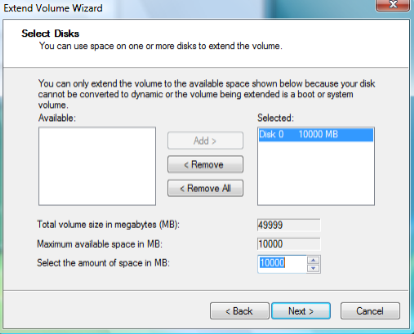 expanding to achieve the best results, since the operation is dependant on the amount of contiguous free space available.


